
This release includes a collection of practical improvements across Campaigns, Programs, Advertising, QR Journeys and account administration.
Many of these updates address relatively small workflow issues, but they remove repeated friction from tasks customers perform every day.
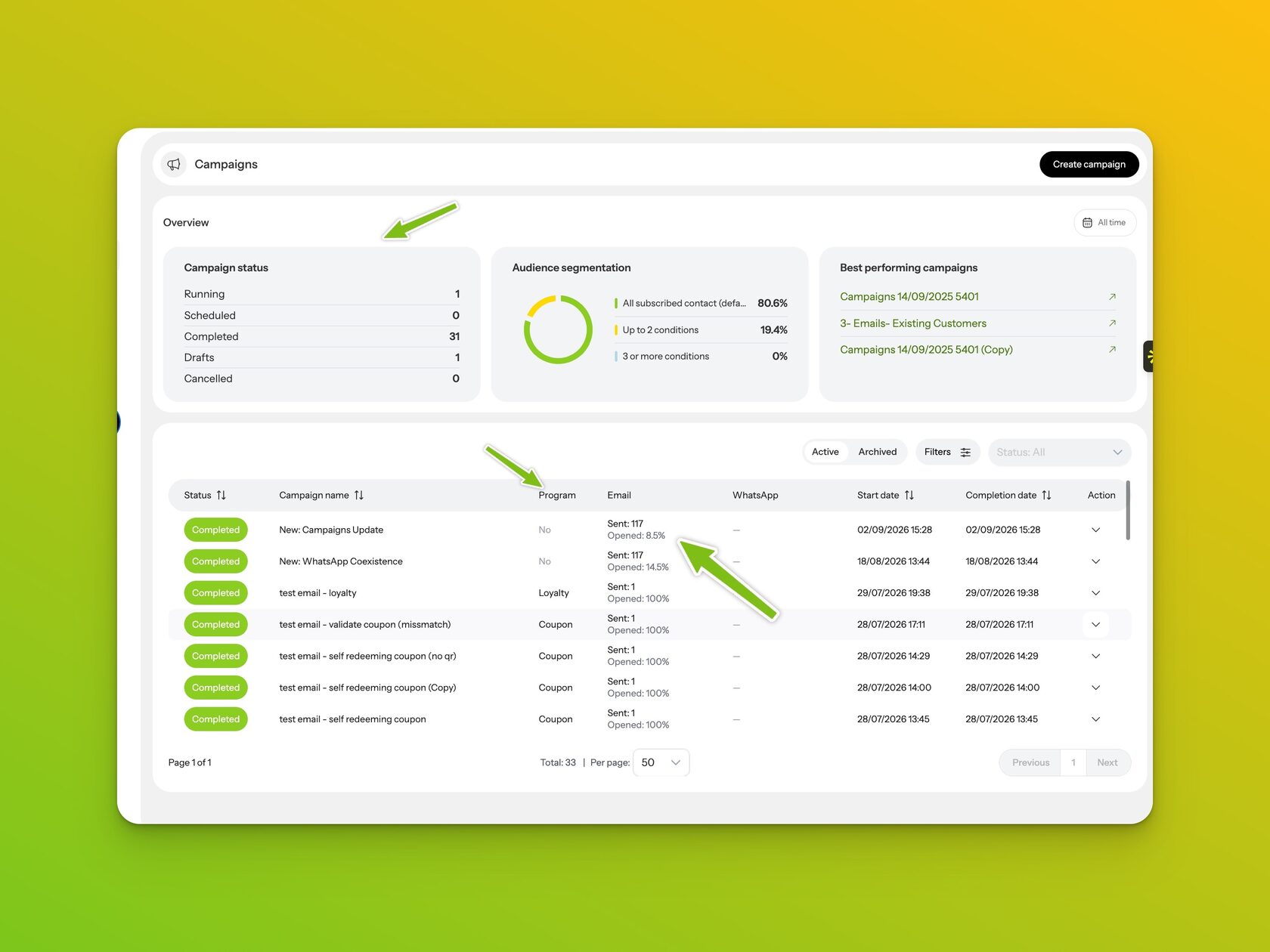
Campaign 2.0 gets a clearer summary view
We have continued improving the reporting experience introduced with Campaign 2.0.
The Campaigns page now gives considerably more useful information directly from the campaign list.
Instead of relying primarily on campaign setup information such as target name, target size and total messages sent, the updated view places more emphasis on campaign outcomes.
Campaign listings can now include email open rates, associated Loyalty or Coupon Programs, WhatsApp activity where applicable, campaign status and campaign timing.
We have also added summary information above the campaign list, providing a quicker overview of campaign activity before opening individual campaigns.
Campaign 2.0 reporting is still being expanded, particularly as we add more cross-channel measurement, but this update makes the main Campaigns view considerably more useful for day-to-day performance review.
Crop images directly during upload
One of the most practical improvements in this release is the new image cropping tool.
Different areas of Affinect require images with different dimensions. Previously, customers often had to resize or prepare the image elsewhere before uploading it.
The new crop experience allows you to reposition and zoom an uploaded image within the required dimensions directly inside Affinect.
This is being introduced across image upload areas and is the first step in a broader image-management update.
For clarity, this release addresses cropping and positioning. Automatic file-size compression and optimization will be handled separately in a future release.
Preview Loyalty and Coupon wallet cards before publishing
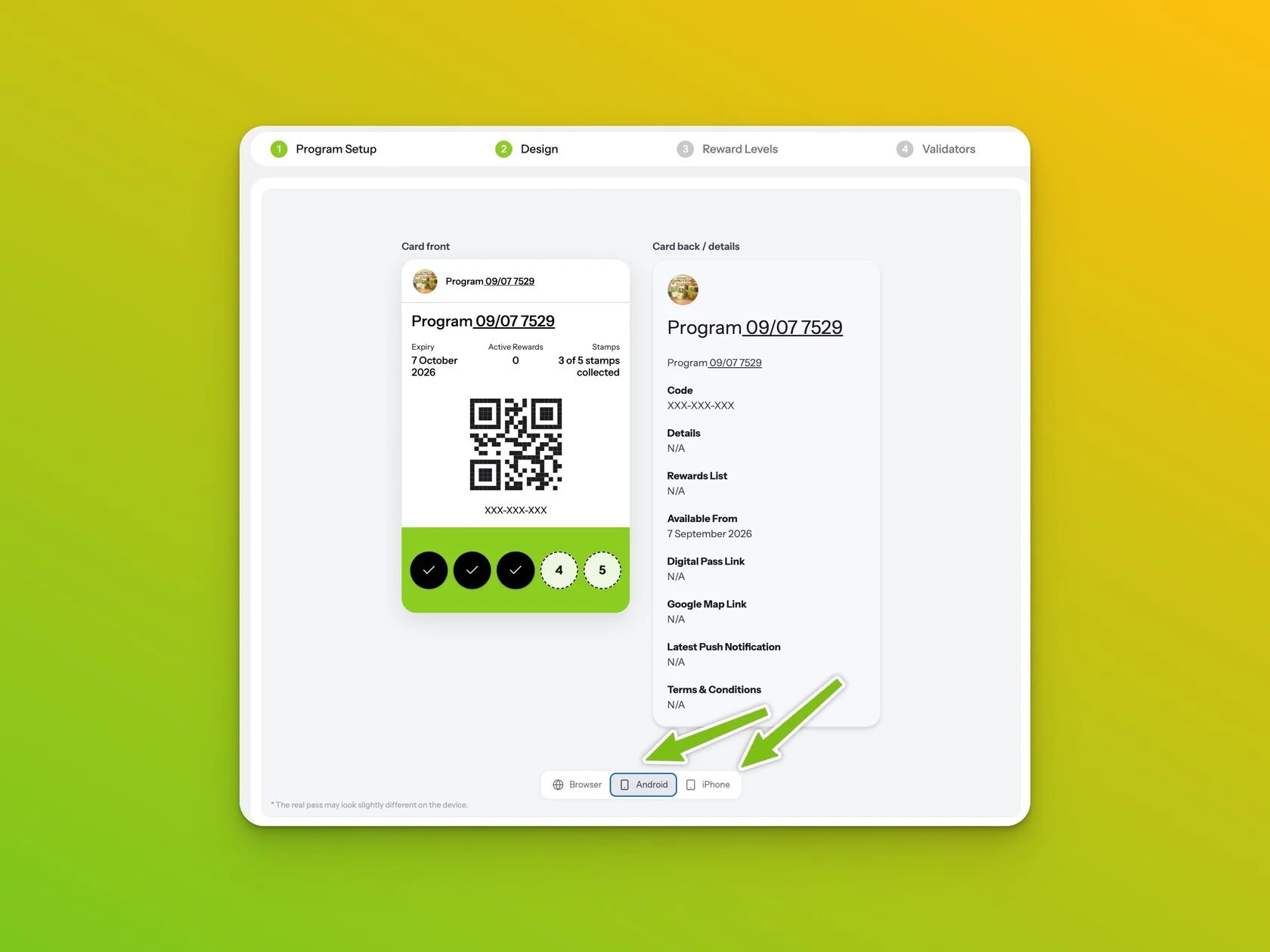
Program designers can now preview Loyalty and Coupon cards across the three main customer experiences:
Browser, Android and iPhone.
Wallet implementations do not display information identically across every environment, so being able to switch between previews makes it easier to understand how the card will be presented before publishing it.
This is particularly useful when checking card content, reward presentation, QR codes and supporting information.
QR codes and Terms & Conditions are now enabled by default
QR/barcode functionality and Terms & Conditions are now included by default when configuring Loyalty and Coupon Programs.
Both remain optional and can be disabled where they are not required.
The change simply provides a stronger default configuration, particularly for Programs that will eventually be validated or redeemed by venue staff.
Filter Program enrollments by date
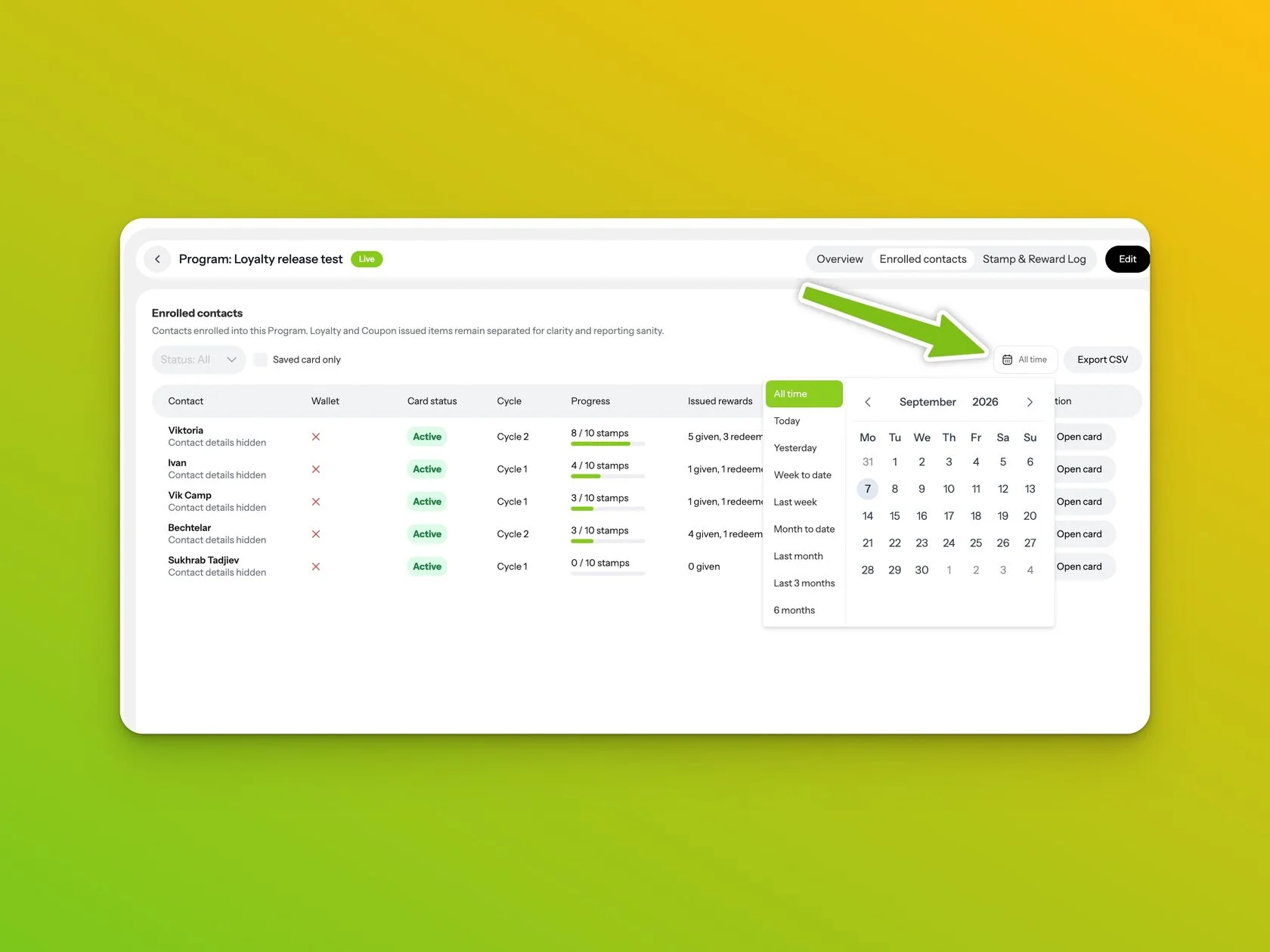
The Enrolled Contacts section of Programs now includes date-range filtering.
Available periods can be selected directly from the Program view, making it easier to investigate recent enrollments or activity during a particular reporting period.
CSV exports also follow the selected date range, so the exported dataset matches what you are reviewing on screen.
Easier venue access management
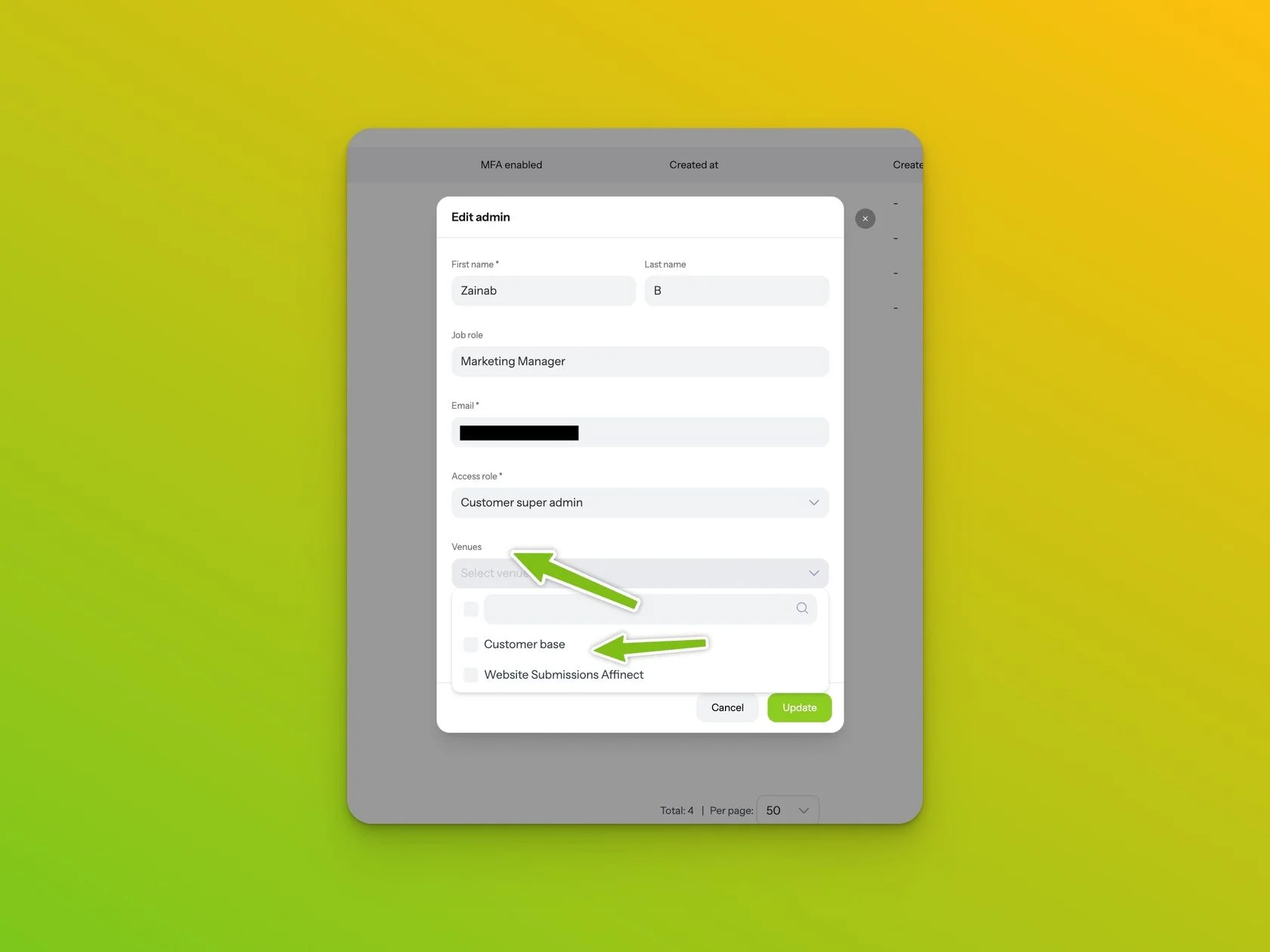
Venue access can now be managed directly from Admin Settings.
Previously, assigning specific venue access could require a separate request. Administrators can now select the relevant venues directly when configuring a user.
Multiple venues can also be assigned to the same user.
This means account roles and venue-level access can now be managed together from the same administrative workflow.
Advertising placements make better use of mobile screens
We have also refined the customer-facing advertising experience.
Previously, the advertisement call-to-action could appear below the creative, consuming additional vertical screen space.
The CTA is now displayed directly over the advertising content, creating a cleaner mobile experience and leaving more of the available screen for the creative itself.
We have also introduced a 5-second delay before the advertisement can be skipped.
Additional bot protection for QR forms
Cloudflare CAPTCHA protection is now available on Affinect QR forms.
The CAPTCHA is not intended to interrupt normal customer submissions. It is triggered only when additional verification is considered necessary.
Where a QR form contains multiple steps, the CAPTCHA appears on the first step so verification happens before the customer progresses further through the form.
This provides additional protection against automated or suspicious submissions without adding unnecessary friction to every registration.
These changes are now released and available in Affinect.
Explore the Affinect platform