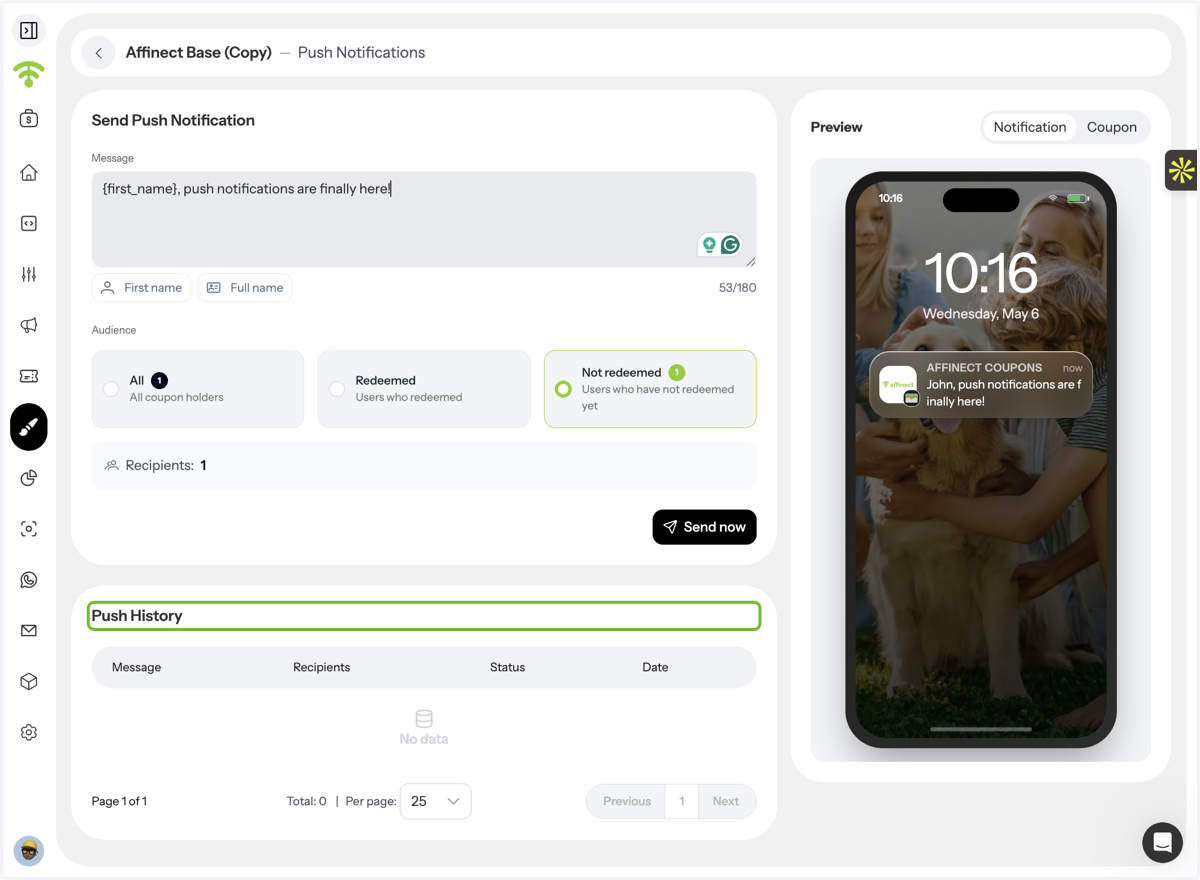
This guide shows you how to send targeted push notifications to coupon holders in Affinect. Whether you want to remind users to redeem an offer or drive urgency, push notifications help you reach customers instantly with short, action-driven messages.
Affinect
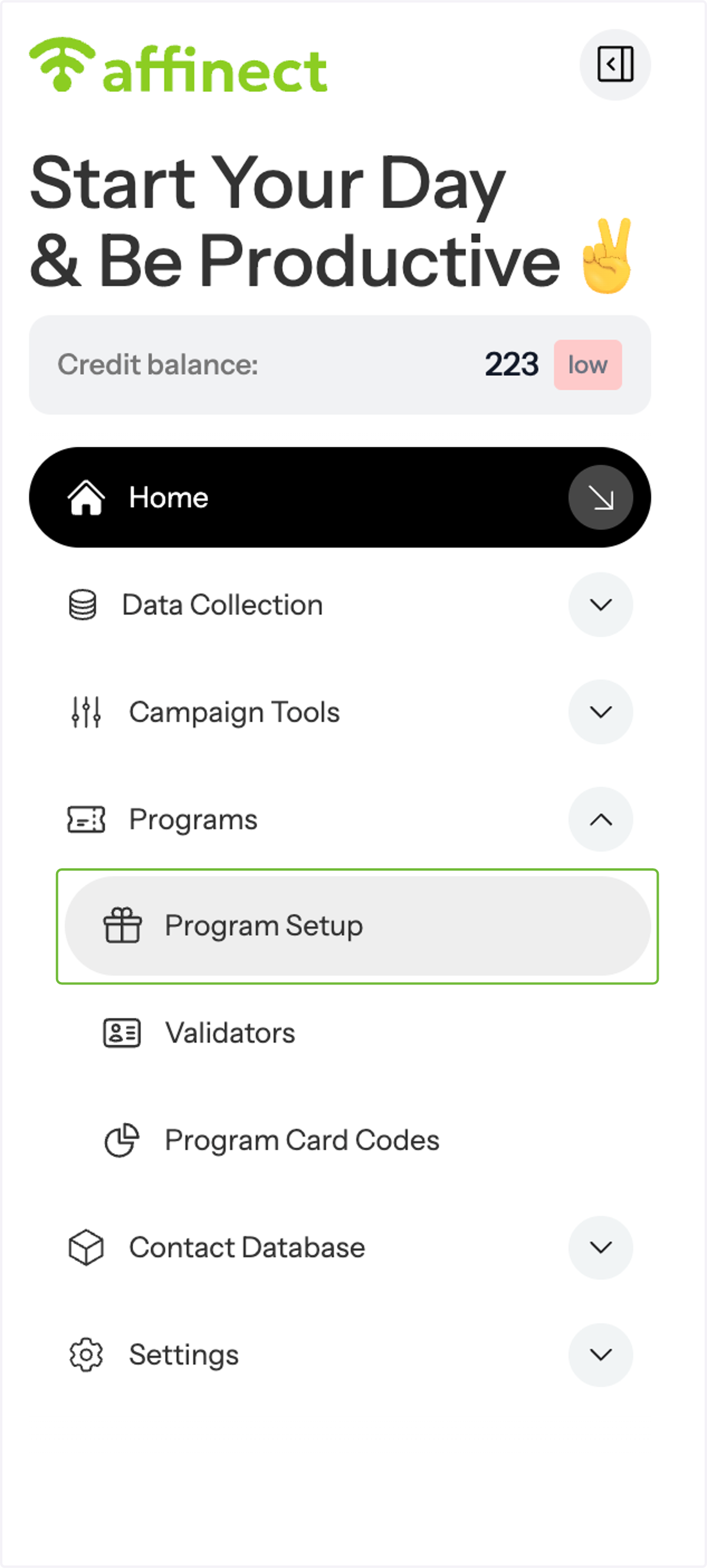
Navigate to Program Setup
Go to program setup under Programs on the left.
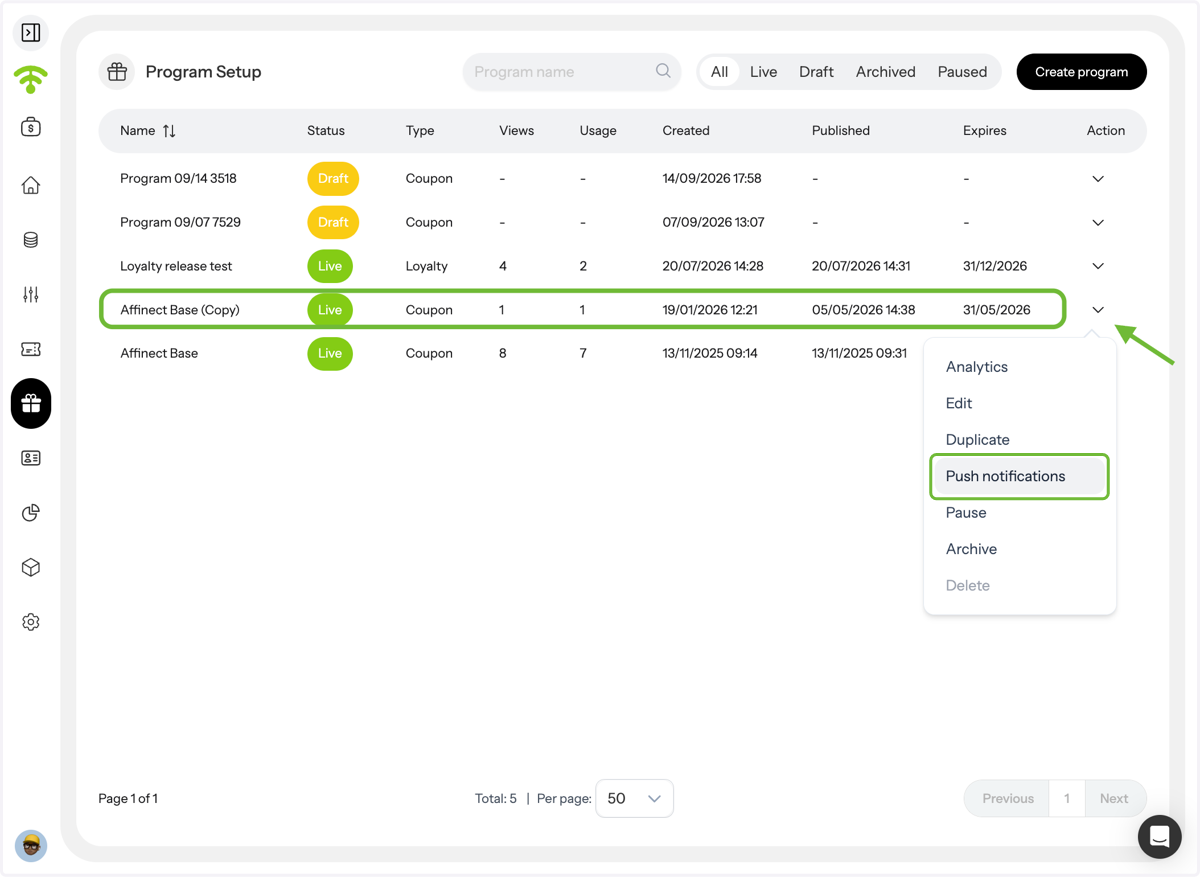
Open Push notifications
Once the program setup preview appears, click on Push Notifications under the _Actions_ section.
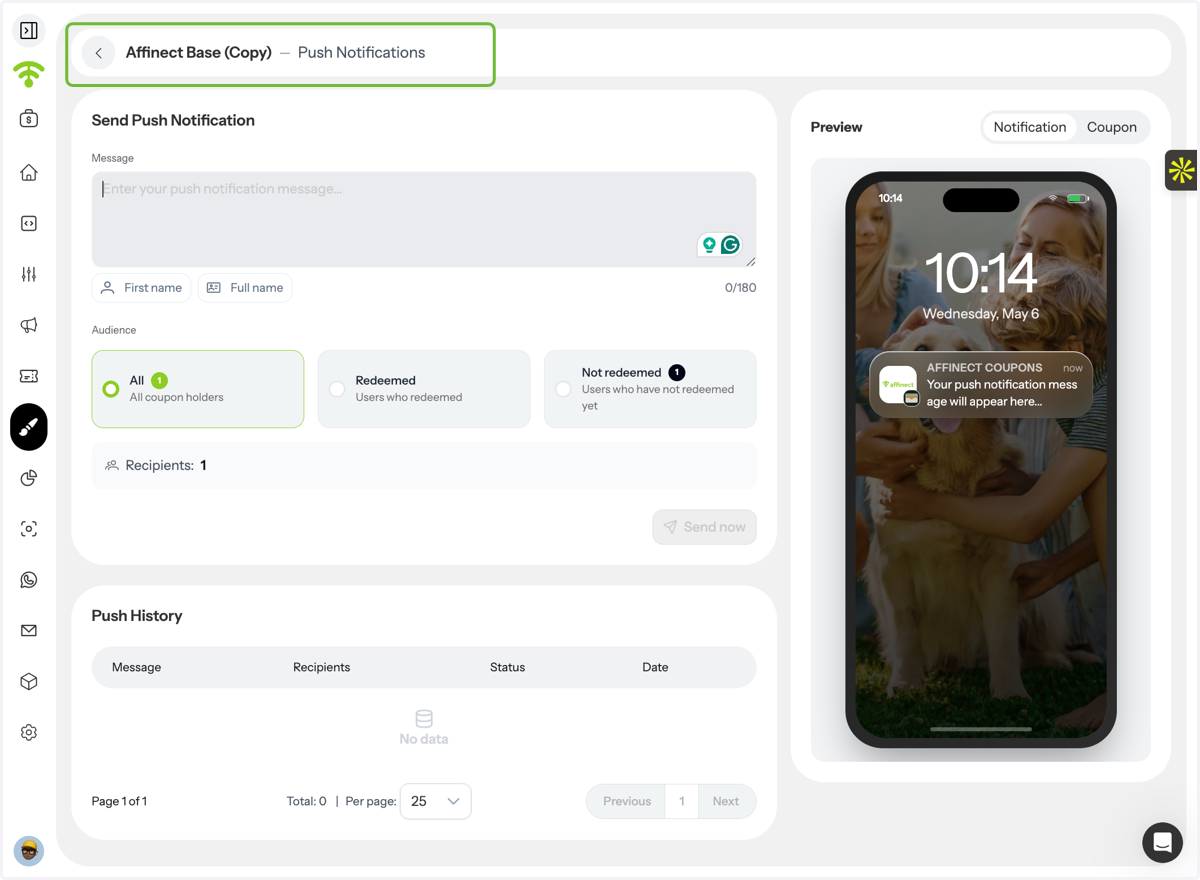
Create Your Notification
A push notification window will open where you can:
- Type your message
- Select your target audience
- Send the notification
Personalize Your Message
Use variables like First Name and Last Name to make your message more engaging.
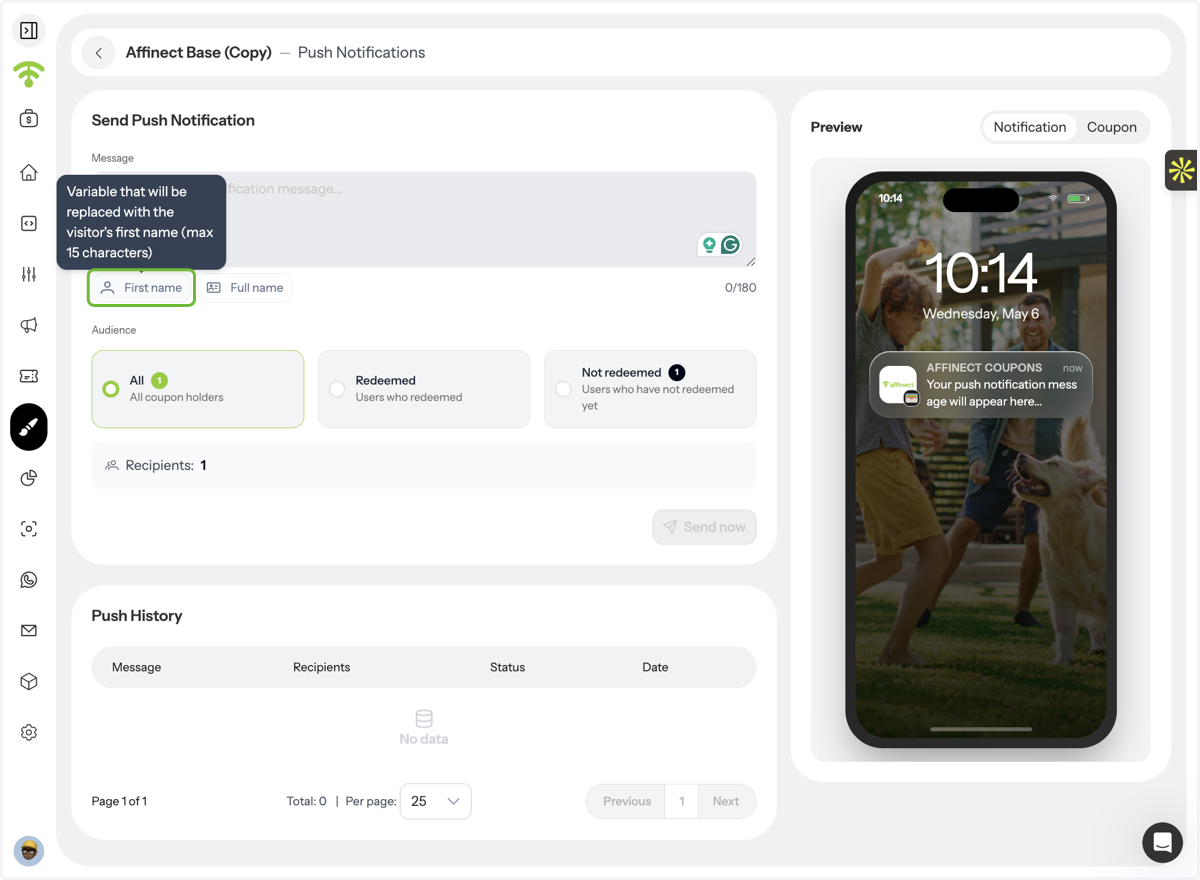
Keep It Short & Clear
Write a concise message and preview how it appears. Keep in mind: push notifications (especially on Android) are less prominent, so clarity and brevity are key.
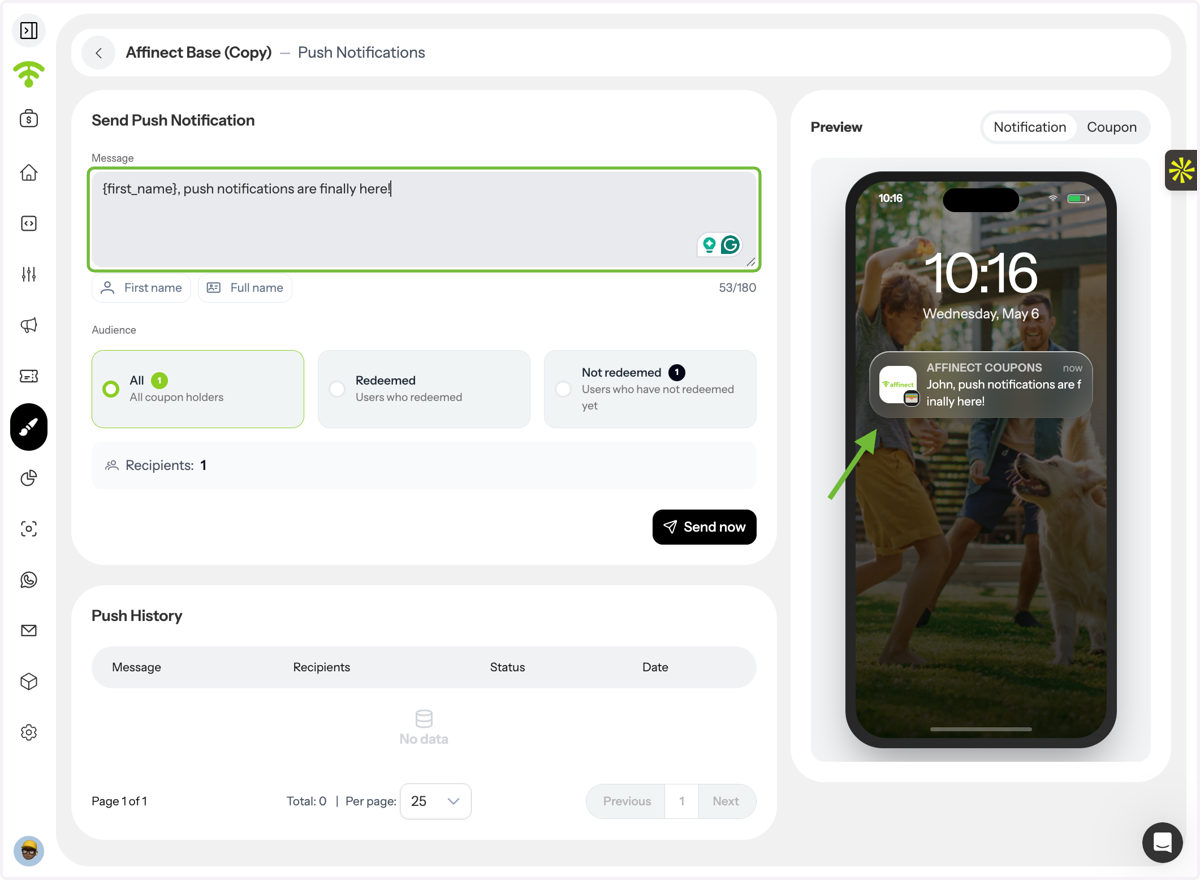
Select Your Audience
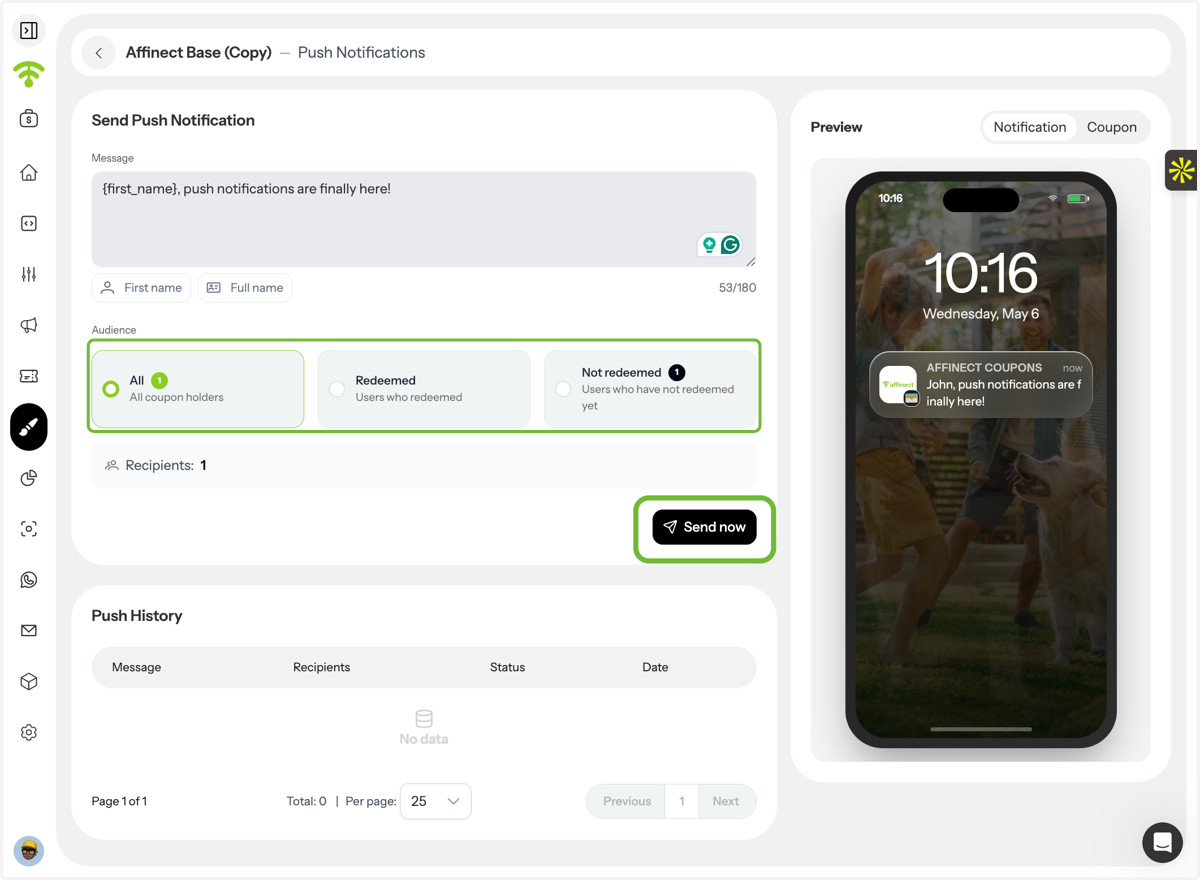
Choose who should receive the notification:
- All coupon holders
- Users who have redeemed the coupon
- Users who have not redeemed yet
Then click Send to launch your notification.
View Notification History
You can also access previous push notifications to track what’s been sent and optimize future messages.